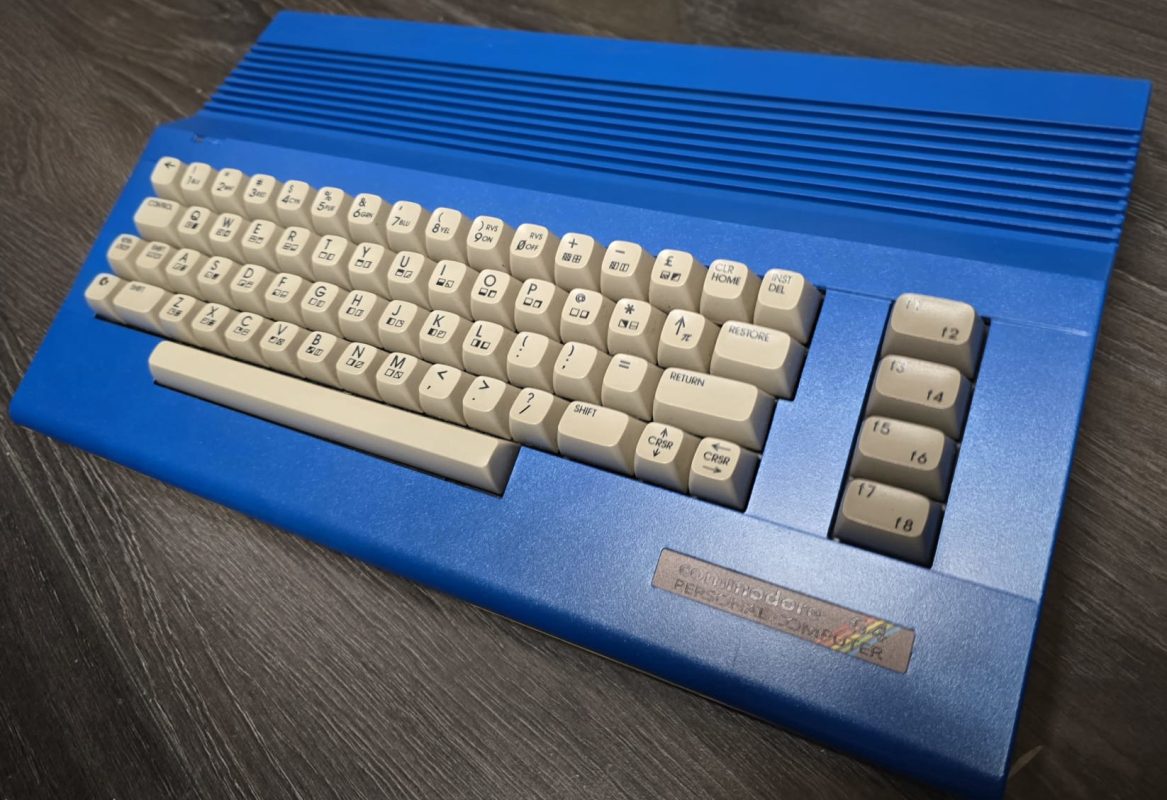
I'm excited to announce a brand new addition to Smiggy's World — the Commodore 64 Machine Hub. This is something I've wanted to build for a long time: a single, structured landing page that pulls together every C64 resource you'd want within arm's reach on the repair bench.
Why Build a Dedicated C64 Hub?
If you've ever found yourself mid-repair on a Commodore 64, you know the drill — you've got one browser tab open for the ASSY board cap list, another for the VIC-II pinout, a third for PSU voltage specs, and a fourth trying to remember whether a black screen with no border means a dead PLA or dead CPU. Information is scattered across dozens of forums, wikis, and PDF scans from the 1980s.
The C64 Machine Hub fixes that. Everything in one place, styled to match the rest of Smiggy's World, and designed to be genuinely useful when you've got a soldering iron in one hand and a multimeter in the other.
What's Inside
Here's a rundown of every section on the new hub page:
Motherboard ASSY Selector
The centrepiece of the page. Select your board revision — ASSY 250407, 250425, 250466, or 250469 — and instantly see the key ICs fitted to that board along with a complete electrolytic capacitor list (reference designator, value, voltage rating, and location notes). Whether you're recapping a 1982 longboard or a late-production C64C shortboard, the right cap list is one click away.
The ASSY selector covers the major differences between revisions: the shift from 4116 DRAM (needing +12 V) to 4164 and later 4464 chips, the transition from the 82S100 PLA to EPLA replacements, and the move from 6581 SID to 8580 on the shortboards.
Original PSU Danger Warning
Every C64 owner needs to know this: the original Commodore power supply is a ticking time bomb. When its internal 5 V regulator fails, it typically fails short, sending 7–9 V of unregulated DC straight into your machine. That's enough to kill the CPU, SID, both CIAs, and potentially the VIC-II in seconds.
The hub includes a full DIN 7-pin power connector pinout table and a curated list of modern replacement options — the Electroware PSU Mark II, Ray Carlsen's hand-built supplies and inline savers, the Keelog PSU, and a DIY MeanWell-based build. Always measure before you power on.
Common Fault Checklist
Four diagnostic cards covering the faults I see most often on the bench:
- Black Screen (No Border) — Step-by-step checks for PSU, CPU clock, PLA, DRAM, and ROMs.
- Garbled Video / Wrong Colours — Isolating colour RAM, DRAM pattern failures, VIC-II issues, and character ROM faults.
- PLA Failure — The single most common point of failure in the entire C64. How to identify it, test it, and the modern replacements available (PLAnkton, SuperPLA, CPLD alternatives).
- Dead SID (No Audio) — Audio path checks, SID test programs, and replacement options including ARMSID, SwinSID, and FPGASID — plus the critical note about filter cap differences between the 6581 and 8580.
C64 IC Pinout Links
Direct links to the full pinout reference pages (already in our IC Pinout Finder) for every major chip in the Commodore 64:
- MOS 6510 — CPU with built-in I/O port
- MOS 6581 SID — Sound Interface Device (longboard)
- MOS 8580 SID — Revised SID (shortboard)
- MOS 6567/6569 VIC-II — Video Interface Chip
- MOS 6526 CIA — Complex Interface Adapter
- 82S100 PLA — Programmable Logic Array
- 4116 & 4164 DRAM — Dynamic RAM
Each card shows the IC package type and a brief description of what the chip does, linking straight to the full pinout deep-dive.
A/V & Serial Port Pinouts
Three reference tables covering the connectors you'll interact with most during testing:
- 8-Pin DIN A/V (C64C / shortboard) — including S-Video luma and chroma pins for the best possible picture quality.
- 5-Pin DIN A/V (breadbin / longboard) — composite and audio, plus notes on the popular S-Video mod.
- IEC Serial Bus — the 6-pin DIN for disk drives and printers, with signal descriptions and notes on fast-loader bypass.
Resources & Further Reading
The page wraps up with links to relevant blog posts here on Smiggy's World, our bench tools (IC Pinout Finder, Recap Planner, Ohm's Law Calculator), and external community resources including C64-Wiki, Lemon64, CSDb, and Ray Carlsen's legendary repair pages.
Check It Out
Head over to smiggy.com/c64 and have a look around. If you're working on a C64 restoration or repair, I hope this saves you some time and a few browser tabs. As always, the page uses all of Smiggy's World's theme options — try it in Amber Terminal or Matrix CRT mode for that authentic retro feel.
If you spot anything that needs correcting, or if there's a resource you think should be on the hub, drop me a message on the contact page or leave a comment below. Happy repairing!
Comments (0)
No comments yet. Be the first to comment on Smiggy's article!
Leave a Comment