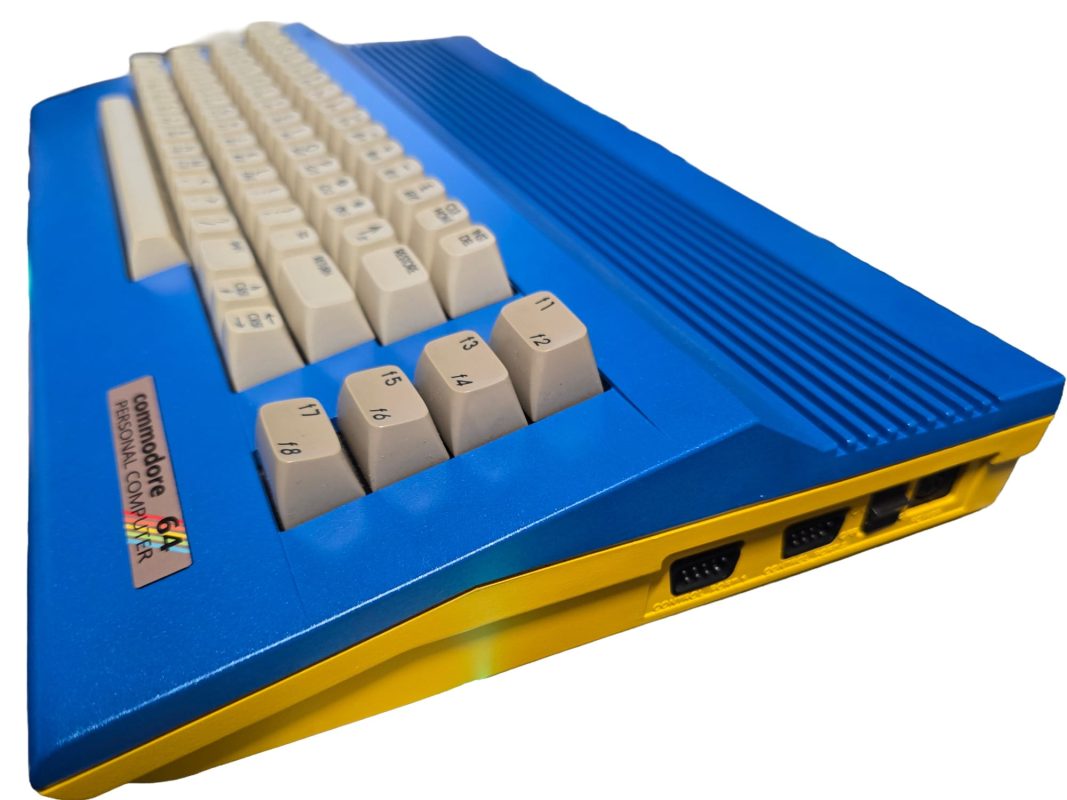
Target: ASSY 250407, 250425, 250466, and 250469 (64C) Motherboards
Bench Tips & Recapping Safety
-
Verify PCB Assembly Number First:
Always check the silkscreen assembly number printed directly on the mainboard near the cartridge port before ordering parts or desoldering. Component designations (e.g., C13 vs C201) vary significantly across board revisions.
-
Voltage Ratings:
You can safely use capacitors with higher voltage ratings than original stock (e.g., replacing a 10V or 16V capacitor with a 25V or 35V rated equivalent). Never downgrade voltage ratings.
-
Low-ESR & 105°C Rating:
Use high-quality, 105°C-rated low-ESR electrolytic capacitors (such as Panasonic FR/FC series or Nichicon PW/HE) to minimize ripple noise on video and audio outputs.
-
Mind the Polarity:
Always align the negative band stripe on the capacitor body with the negative (
-) marking printed on the C64 PCB. Note that on some early Commodore revisions, silkscreen markings can occasionally be reversed or ambiguous—always double-check against trace connections (ground plane) before soldering. -
Power Supply Warning:
Recapping will not protect your system from an original fault-prone Commodore "black wedge" or beige power supply brick that fails high on the 5V rail. Always use a modern regulated power supply.
1. ASSY 250407 (Early Breadbin "Long Board")
| Designator | Value | Min Voltage | Type | Primary Function / Rail |
|
C13 |
10 µF |
25V |
Radial |
Audio Output / SID Filter |
|
C14 |
10 µF |
25V |
Radial |
SID Audio Path |
|
C15 |
470 µF |
16V |
Radial |
VIC-II Video / 12V Supply Line |
|
C19 |
470 µF |
25V |
Radial |
9V AC Unregulated Input Filter |
|
C33 |
10 µF |
25V |
Radial |
Reset / Clock Circuit |
|
C88 |
4700 µF |
16V |
Axial / Radial |
Main 5V DC Filter Input |
|
C90 |
100 µF |
16V |
Radial |
Power Supply Line Filter |
2. ASSY 250425 (Standard Breadbin "Long Board")
| Designator | Value | Min Voltage | Type | Primary Function / Rail |
|
C13 |
10 µF |
25V |
Radial |
Audio Output / SID Line |
|
C14 |
10 µF |
25V |
Radial |
Audio Circuitry |
|
C15 |
470 µF |
16V |
Radial |
VIC-II Video Line Filter |
|
C19 |
470 µF |
25V |
Radial |
9V AC Input Filter |
|
C33 |
10 µF |
25V |
Radial |
System Reset Delay |
|
C62 |
10 µF |
25V |
Radial |
Video RF Modulator / Composite Output |
|
C88 |
4700 µF |
16V |
Axial / Radial |
Main 5V DC Input Filter |
|
C90 |
100 µF |
16V |
Radial |
Power Rail Decoupling |
3. ASSY 250466 (Late Breadbin "Long Board")
| Designator | Value | Min Voltage | Type | Primary Function / Rail |
|
C13 |
10 µF |
25V |
Radial |
Audio Output Line |
|
C14 |
10 µF |
25V |
Radial |
SID Sound Filter |
|
C15 |
470 µF |
16V |
Radial |
12V VIC-II Video Line |
|
C19 |
470 µF |
25V |
Radial |
9V AC Rectifier Filter |
|
C33 |
10 µF |
25V |
Radial |
System Reset Logic |
|
C62 |
10 µF |
25V |
Radial |
Video Output Coupling |
|
C88 |
4700 µF |
16V |
Radial |
Main 5V Bulk Filter |
|
C90 |
100 µF |
16V |
Radial |
Auxiliary Line Decoupling |
4. ASSY 250469 (Commodore 64C "Short Board")
Note: The 250469 uses the HMOS 8580 SID (which runs on 9V DC rather than 12V DC) and features a consolidated PCB layout.
| Designator | Value | Min Voltage | Type | Primary Function / Rail |
|
C201 |
10 µF |
25V |
Radial |
Video Output Circuit |
|
C202 |
10 µF |
25V |
Radial |
Audio Output Filter |
|
C203 |
10 µF |
25V |
Radial |
System Reset Delay |
|
C231 |
470 µF |
16V |
Radial |
9V DC Line (8580 SID Power) |
|
C232 |
470 µF |
25V |
Radial |
9V AC Rectifier Input |
|
C233 |
100 µF |
16V |
Radial |
Line Decoupling |
|
C238 |
4700 µF |
16V |
Radial |
Main Bulk 5V DC Filter |
Quick Hardware Diagnostic Notes
-
Hum / Buzz on Audio: Replace C13 / C14 (Long boards) or C202 (Short board).
-
Vertical Jailbars / Heavy Video Noise: Replace C15 / C62 (Long boards) or C201 (Short board).
-
Random Boot Crashes / Brownouts: Replace main power caps C88 / C19 (Long boards) or C238 / C232 (Short board).
Comments (0)
No comments yet. Be the first to comment on Smiggy's article!
Leave a Comment